Every movie and show you own,
in one library.
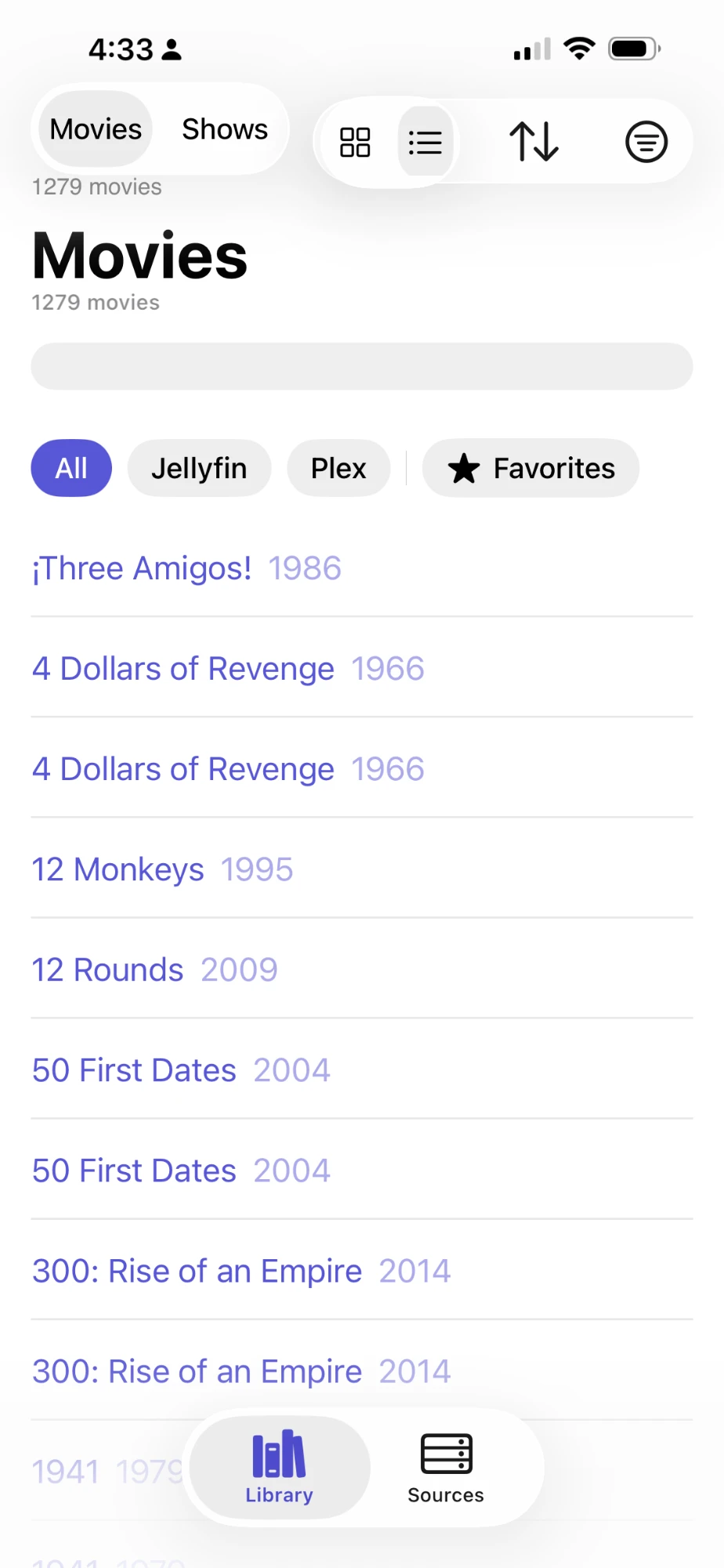
Reel Radar gathers what's on your Plex and Jellyfin servers and what you bought digitally into one catalogue on your Mac, with each copy's source and resolution. Search it before you buy, and never buy the same movie twice.
Free, with a Pro upgrade to come. Signed with a Developer ID and notarized by Apple. No account.
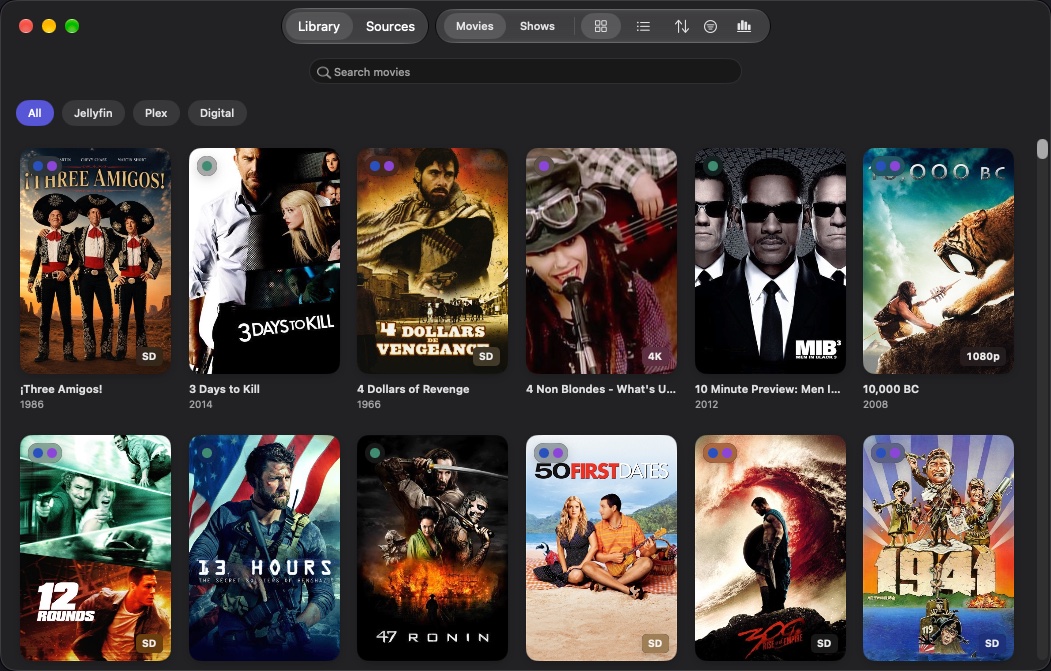
Your servers and your purchases, together
Movies and shows from every server you connect, plus the movies you bought from online stores.
See every copy: which server, and 4K or HD
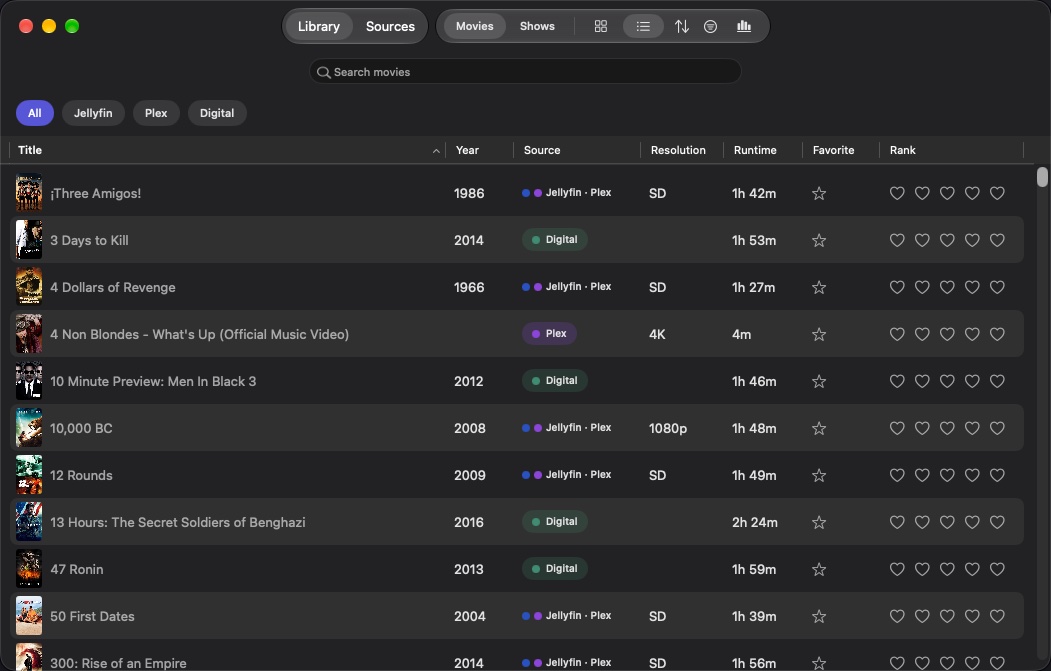
The same film on two servers, and bought digitally too? Reel Radar shows where every copy lives, and badges each with its resolution: 4K, 1080p, 720p or SD.
- Combine Copies shows each film once, with all its sources and its best resolution.
- A grid of posters, or a list whose columns you choose: source, resolution, runtime, rating, genres, date added.
- Search, and filter by source, genre, resolution or favorites.
- Favorites and ranks for movies and shows, and a Library Overview of what you have.
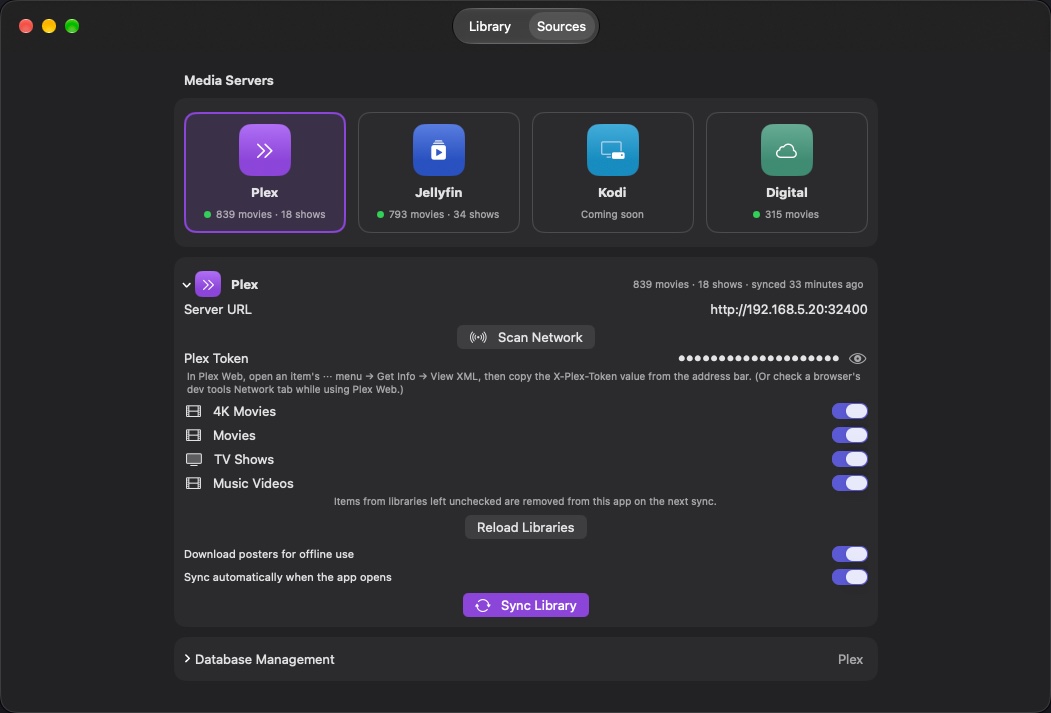
Finds your servers for you
Choose Plex or Jellyfin and click Scan Network: Reel Radar lists the servers on your network, so there's no address to type. Pick the libraries you want and sync.
- Several libraries per server, and several servers at once.
- Syncs on its own when the app opens, if you like.
- Keeps posters on your Mac to browse offline.
- Reads your servers and never changes them.
Small app, careful details
Digital purchases
Import a CSV list of the movies you bought online. It needs just two columns, Title and IMDb ID; anything else in the file is ignored. Import again any time; nothing is removed.
Posters and details
Imported movies get posters, descriptions, runtimes and genres from TMDB, using your own free TMDB key. Server movies get theirs from your server.
Private by design
No account and nothing sent to Blinken Labs. Your catalogue stays on your Mac; your tokens and keys stay in your Keychain.
Library Overview
How many films you have, and how many copies; how many on each server, at each resolution; your top genres.
Favorites and ranks
Star the films you love and rank them one to five hearts. On a combined film, they apply to every copy.
Start over any time
Reset one server's data, or Reset Reel Radar to return the app to how it was when first installed, settings and keys included.
In the shop, with a disc in your hand
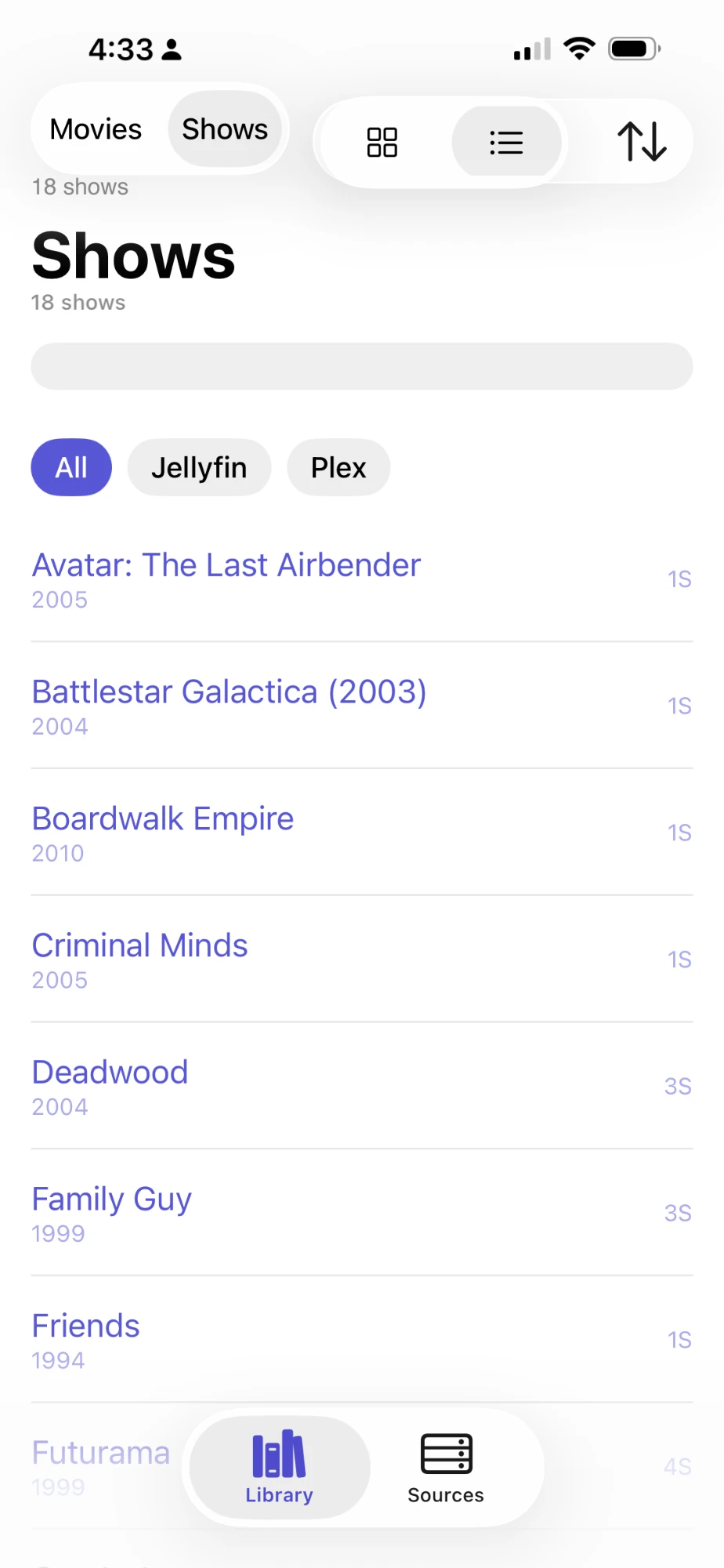
The iPhone app is on its way. Scan a DVD or Blu-ray's barcode and Reel Radar tells you whether you already own it, where, and whether the disc is sharper than your copy.
Reel Radar for Mac
Version 0.9.2 beta · October 2026. A disk image (.dmg) or a zip; either works.
 Free beta · macOS 15 and later
Reel Radar
For Apple silicon and Intel Macs. Signed with a Developer ID and notarized by Apple, so it opens without a security warning.
Checksums for every file, release notes and earlier versions: the latest release on GitHub.
Verify with shasum -a 256 -c SHA256SUMS in the download folder.
| Requirement | Details |
|---|---|
| macOS | macOS 15 (Sequoia) or later, on Apple silicon or Intel |
| Media servers | Plex Media Server (with your Plex token) or Jellyfin (with an API key), reachable from your Mac. Optional: you can use only digital imports. |
| Digital imports | A CSV file with a Title column and an IMDb ID column |
| Posters for imports | Optional: your own free TMDB API key |
Installing and setting up
Copy it to Applications
Open the .dmg and drag Reel Radar onto the Applications shortcut beside it, or unzip the .zip and drag the app to your Applications folder. Updating? Quit the running copy first; your library and settings carry over.
Add a server
Open Sources, choose Plex or Jellyfin, click Scan Network and pick your server (or type its address). Enter its Plex Token or Jellyfin API Key, choose the libraries, and click Sync Library.
When macOS asks whether Reel Radar may find devices on your local network, choose Allow, or Scan Network can't find your servers.
Add your purchases (optional)
Choose Digital, click Import CSV… and pick your file. Enter a TMDB key there to fetch posters and descriptions for what you imported.
Questions
Can Reel Radar tell me if I already own a movie?
Yes. Search for the title before you buy: Reel Radar shows every copy you have, on which server or bought digitally, and in what resolution. With Combine Copies on, each film appears once with all its copies, so duplicates stand out.
Does it work with Plex and Jellyfin at the same time?
Yes. Add your Plex and Jellyfin servers and your digital purchases, and Reel Radar shows them together in one library.
Is Reel Radar free?
Yes. A Pro upgrade is planned.
Does it change anything on my servers?
No. Reel Radar only reads your libraries. Favorites and ranks are kept in Reel Radar, not on the server.
Where do I find my Plex token or Jellyfin API key?
Plex: in Plex Web, open any item's ⋯ menu, choose Get Info, then View
XML, and copy the X-Plex-Token value from the address bar. Jellyfin: in the
Dashboard, open API Keys and add one for Reel Radar.
What should the CSV file for digital purchases look like?
A header row naming a Title column and an IMDb ID
column, in any order, then one movie per row. The IMDb ID looks like tt0133093, or can be the
movie's IMDb link. Other columns are ignored, and rows without both are skipped.
Scan Network finds nothing. What now?
Type the server's address instead, such as http://192.168.1.10:32400 for
Plex or http://192.168.1.10:8096 for Jellyfin. Then check Reel Radar is allowed under System
Settings › Privacy & Security › Local Network; see Support for a
macOS 27 fix.
Is there an iPhone version?
It's coming, with barcode scanning to check a disc against your library in the shop. Each device keeps its own library, so you'll set it up there too.